
For Australian small to medium-sized businesses (SMBs), leveraging this feature can offer a competitive edge. This blog post dives deep into the functionalities of Odoo’s Customer Portal and how it can transform your business operations.

What is Odoo’s Customer Portal?
Odoo’s Customer Portal is a user-friendly platform that empowers customers with access to vital account information, including invoices, orders, and support tickets, all in one place. This includes:
Invoices and Payments:
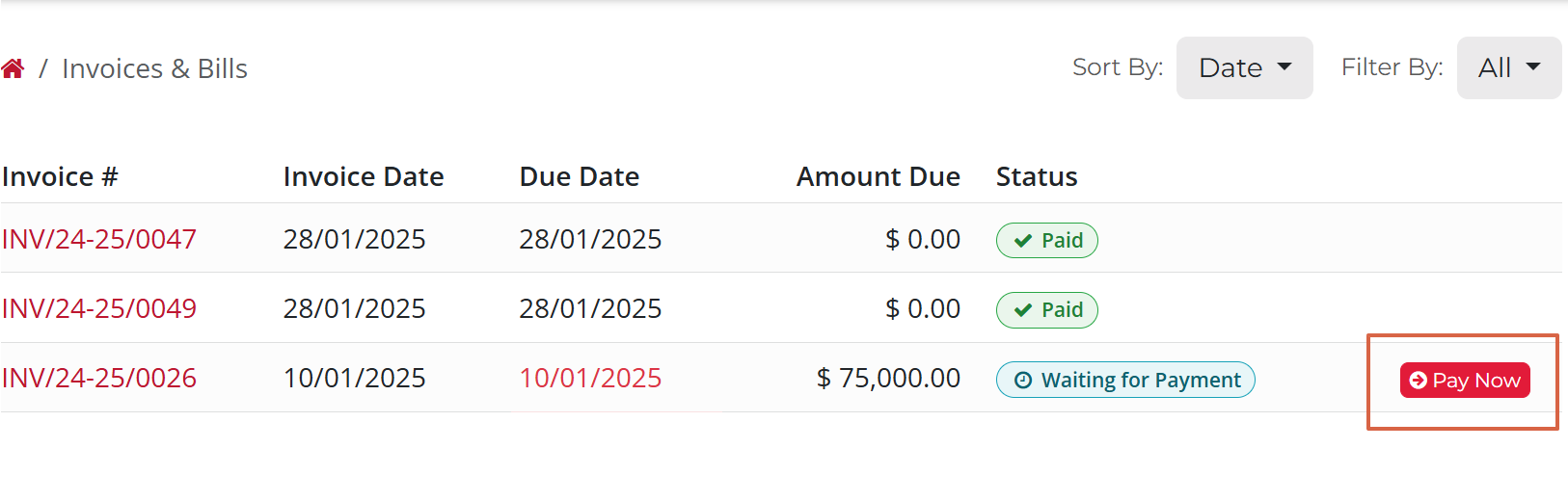
Customers can view and download invoices, make payments, and track payment statuses.
Orders and Deliveries:
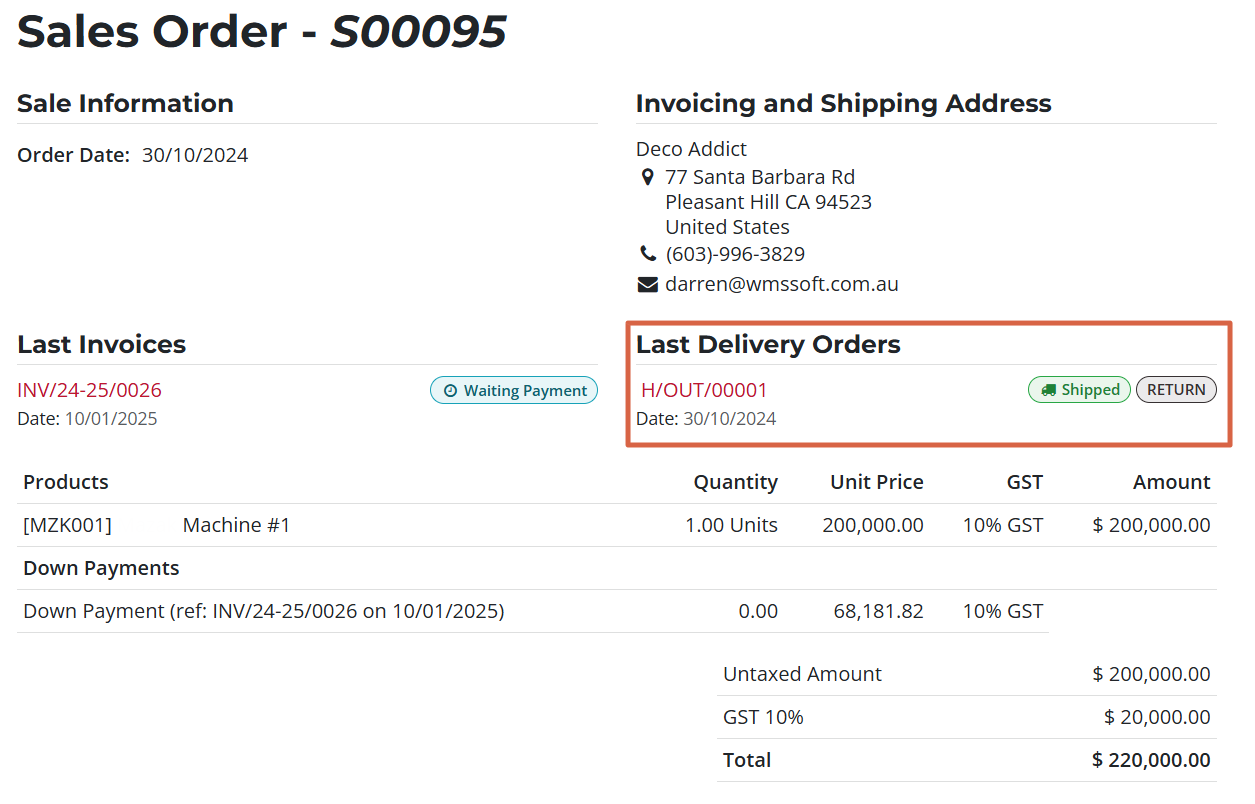
A comprehensive view of order history, delivery statuses, and associated documents.
Tickets and Support:
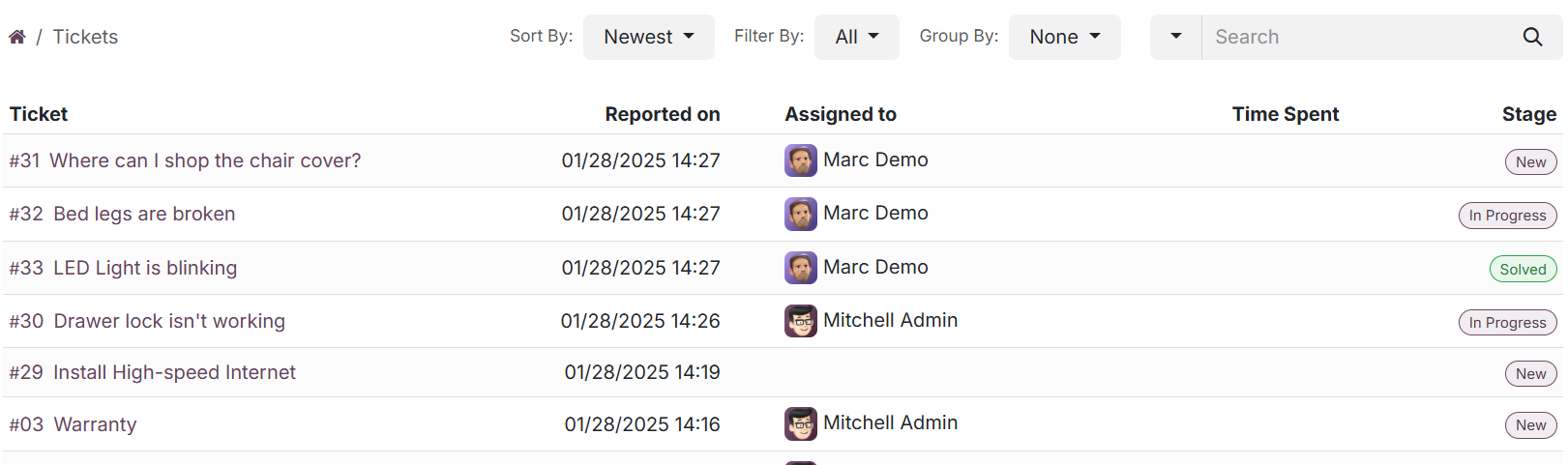
Direct access to support tickets for streamlined issue resolution.
Projects and Tasks:
Visibility into project timelines and task progress for service-based businesses.
By offering transparency and autonomy, the Customer Portal empowers your clients to manage their interactions with your business efficiently. It subtly builds trust and a sense of empowerment, making your customers feel valued and in control.
Key Features and Benefits for Australian Businesses
1. Streamlined Communication

Australian businesses often face challenges in maintaining clear communication with clients across different time zones. The Customer Portal bridges this gap by enabling real-time updates and self-service options. With every click, your clients feel a deeper connection to your brand, subtly encouraging loyalty and long-term engagement.
2. Enhanced Payment Options


This flexibility, supported by integrations like Stripe and PayPal, is highlighted in the payment handling section, where customers can view invoices, select their preferred payment method, and complete transactions seamlessly. This smooth process caters to diverse preferences, reducing hesitations and fostering a seamless experience.
3. Customisation and Branding

Tailor the portal to reflect your brand identity. Customisation options allow you to create a professional and cohesive experience for your customers. The visual consistency subtly communicates reliability and professionalism, influencing positive perceptions.
Simplified Payment Handling
One of the standout features of Odoo’s Customer Portal is its seamless payment handling. Customers can view their outstanding invoices, select their preferred payment method, and complete transactions directly from the portal. This functionality supports integrations with popular payment gateways like Stripe, PayPal, and bank transfers, catering to diverse customer preferences. Once a payment is completed, the system automatically generates and sends a receipt, saving time for both businesses and clients.

By offering convenience and efficiency, the portal improves the payment experience, encouraging timely payments and reducing administrative workload. Each interaction subtly reinforces your brand’s commitment to customer satisfaction and reliability.
How to Set Up and Maximise the Customer Portal
Step 1: Provide Access to Customers
Invite customers via email to access their portal. Include a step-by-step guide or video tutorial to simplify onboarding. A welcoming email subtly conveys a sense of exclusivity and care, making customers feel appreciated.
Step 2: Customise the Website Interface
Utilise Odoo’s drag-and-drop website builder to personalise the portal’s layout, ensuring it aligns with your brand’s aesthetic. A visually appealing portal gently encourages users to explore and engage more deeply with your services.
Step 3: Configure each Module's portal rules
Most of the customer facing applications can be configured about "What should be shown?" and "Who should it be shown to?"
If you want Payment Access:
- Ensure you have your Payment Provider Setup
- Ensure you have your Payment Method Setup
- Switch on online payments and ensure that the sale order has Online Payment Selected (This of course can be set as a default in the system).
Step 4: Monitor and Optimise Usage
Leverage Odoo’s analytics tools to track portal usage and gather insights into customer behaviour. Use this data to make continuous improvements. This subtle focus on improvement communicates your dedication to providing the best possible experience.
Why Choose Odoo for Your Business in Australia?
Odoo stands out for its affordability, scalability, and modular design. The Customer Portal is just one of many features that can be integrated seamlessly with other Odoo apps, such as CRM, Sales, and Accounting. This holistic approach simplifies operations and ensures a unified customer experience. Every feature is designed to subtly draw clients, vendors and users in, making them feel that Odoo is an indispensable part of their business success.
Conclusion
Odoo’s Customer Portal is a game-changer for Australian SMBs looking to enhance customer satisfaction and operational efficiency. By offering transparency, convenience, and customisation, the portal empowers businesses to build stronger relationships with their clients. Every interaction is designed to subtly but effectively foster trust, loyalty, and engagement.
Ready to transform your customer interactions? Explore Odoo’s Customer Portal today and take the first step toward a more connected and efficient business model.